01
Bring your character
Start with a built-in avatar or import your own rigged GLB or FBX character.
 Get Spryte
 Pixel-art production tool
Turn rigged 3D characters and animation clips into art-directed spritesheets—without redrawing every frame.
Desktop app · Purchase, download, and activation through itch.io
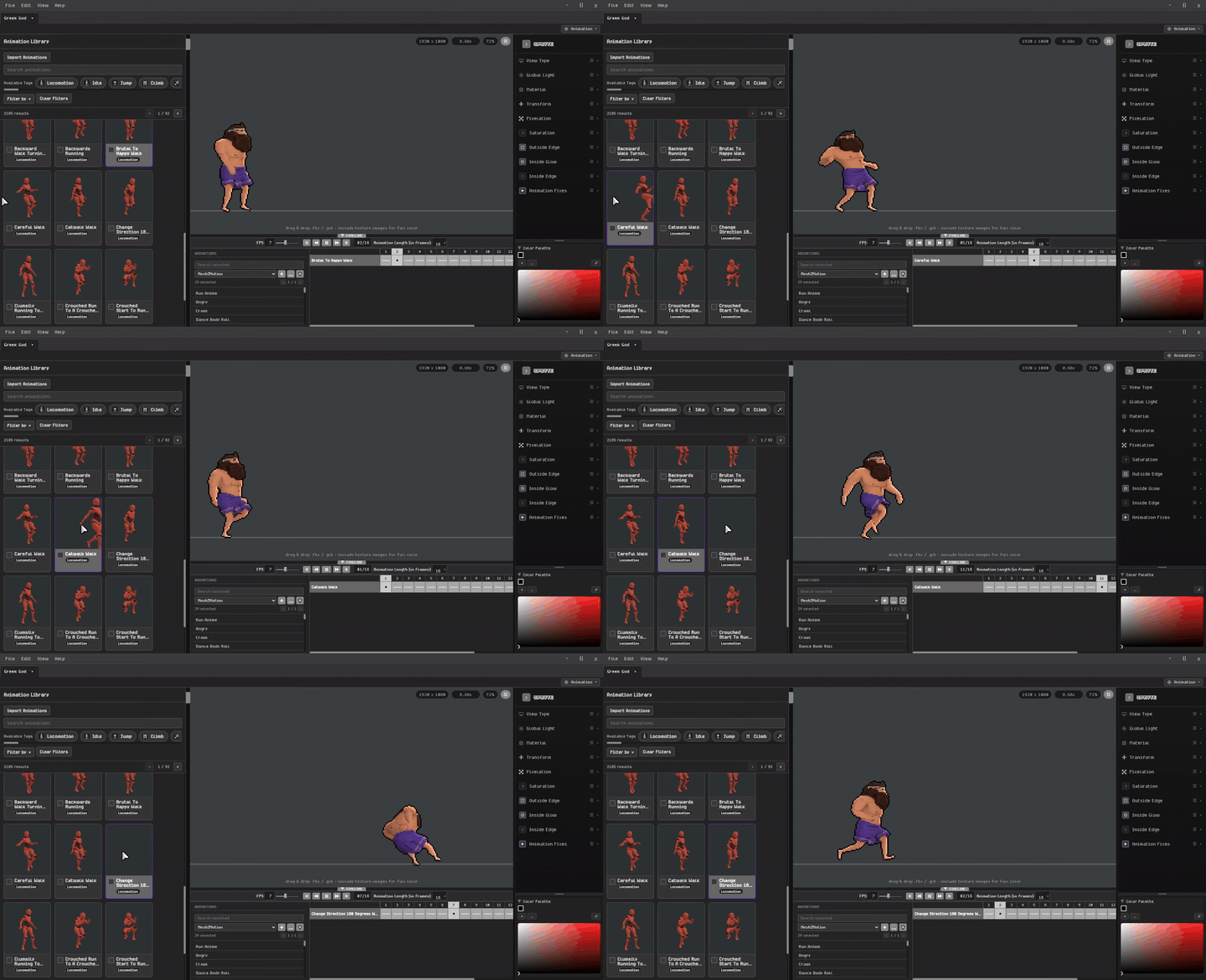
From motion capture to a clean spritesheet
One focused desktop workflow for indie developers and pixel artists.The workflow
01
Start with a built-in avatar or import your own rigged GLB or FBX character.
02
Browse a large animation library for Mixamo-compatible rigs, or import custom rigs with their own animation clips.
03
Tune the camera, lighting, materials, outlines, color, glow, pixel scale, weapons, and VFX.
04
Set the exact frames and directions you need, then export spritesheets locally from the desktop app.
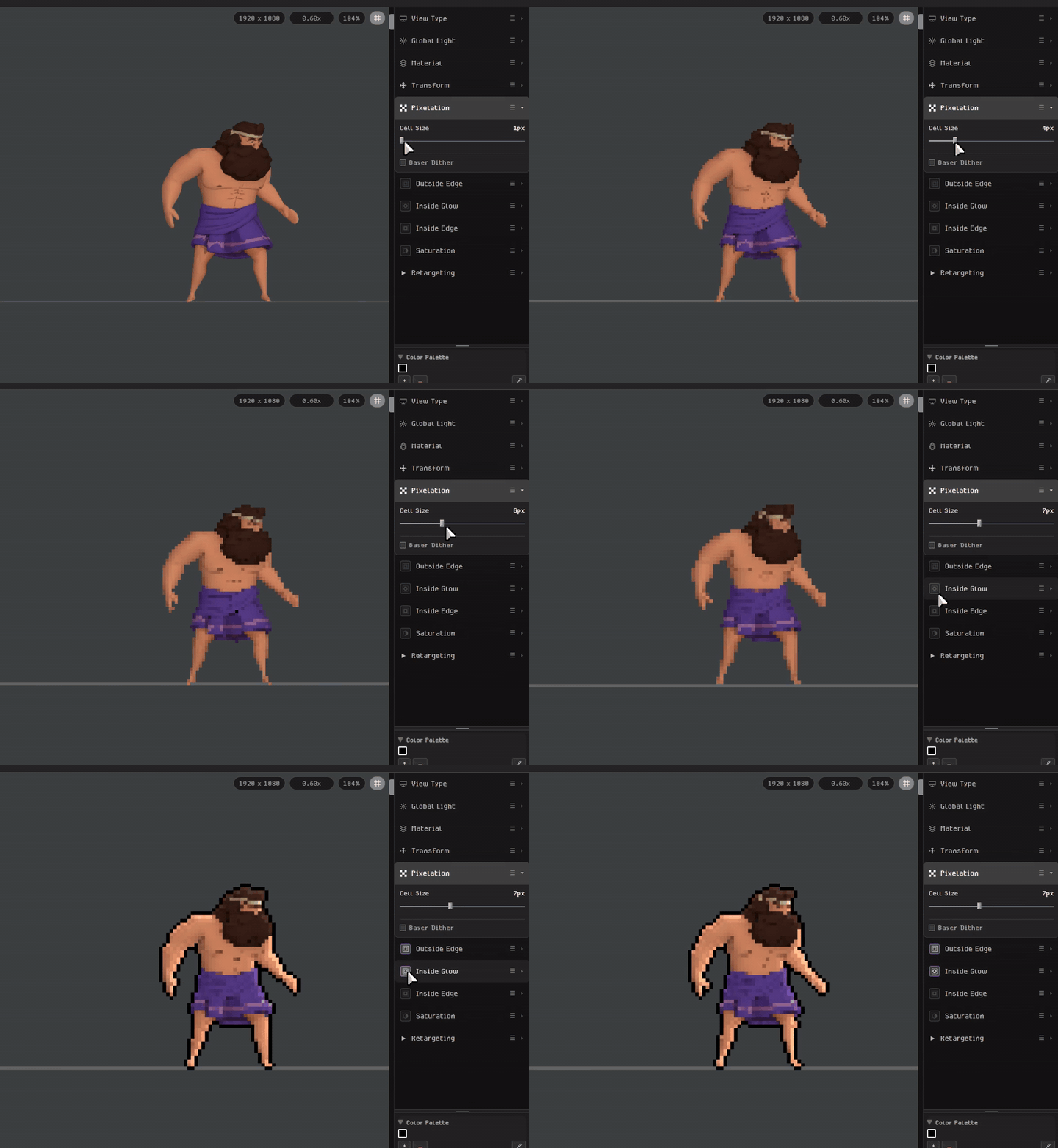
Shape your pixel art style
Start with a 3D rigged character, then use Spryte’s post-processing controls to dial in the look. Adjust pixelation, outlines, and inside glow in the sidebar and preview your custom style as you go.
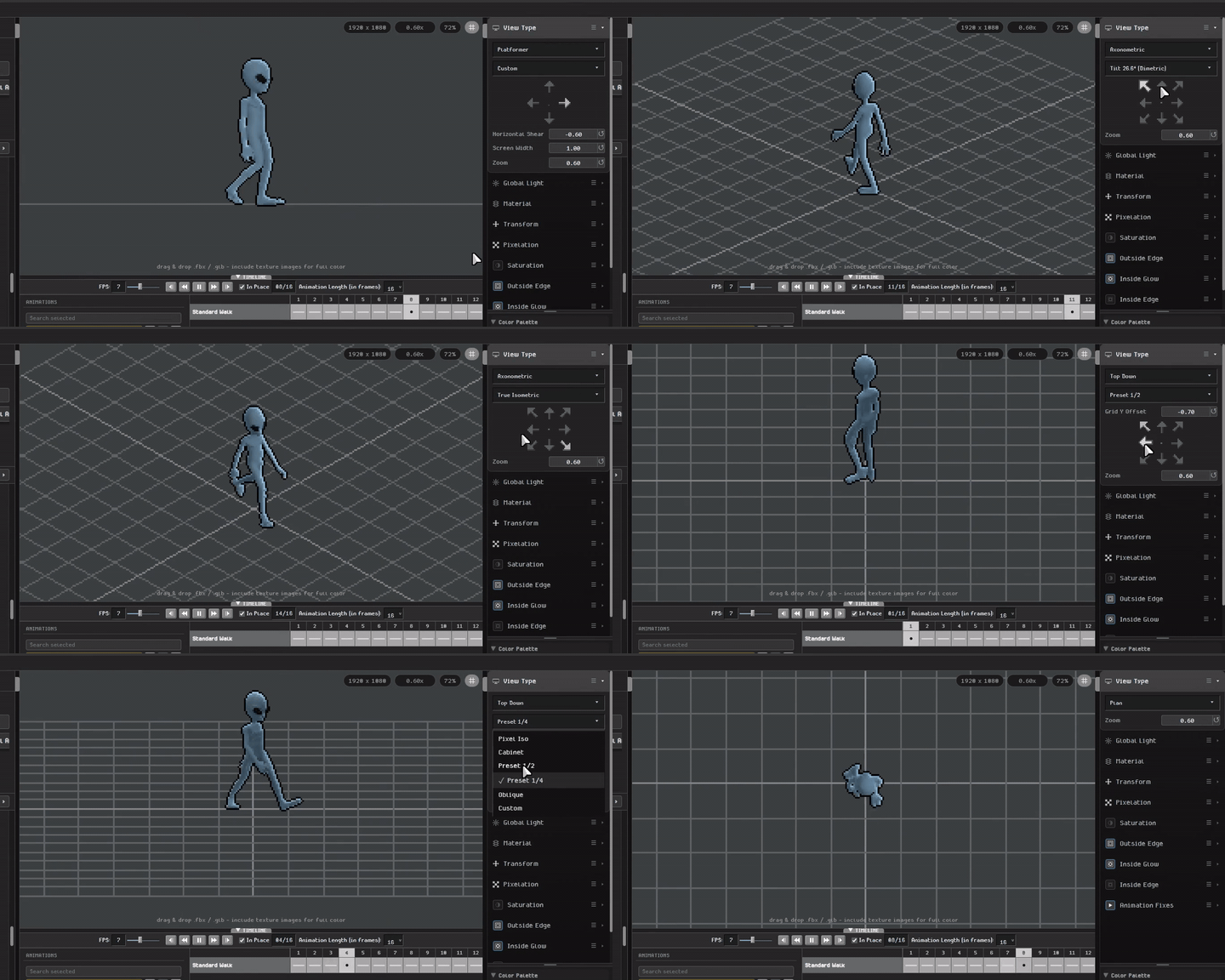
Choose your game view
Choose from Platformer, Isometric, Top Down, and many more view presets—or use custom controls to shape the camera and direction around your game. Preview the result instantly and export sprites that fit the perspective you are building for.
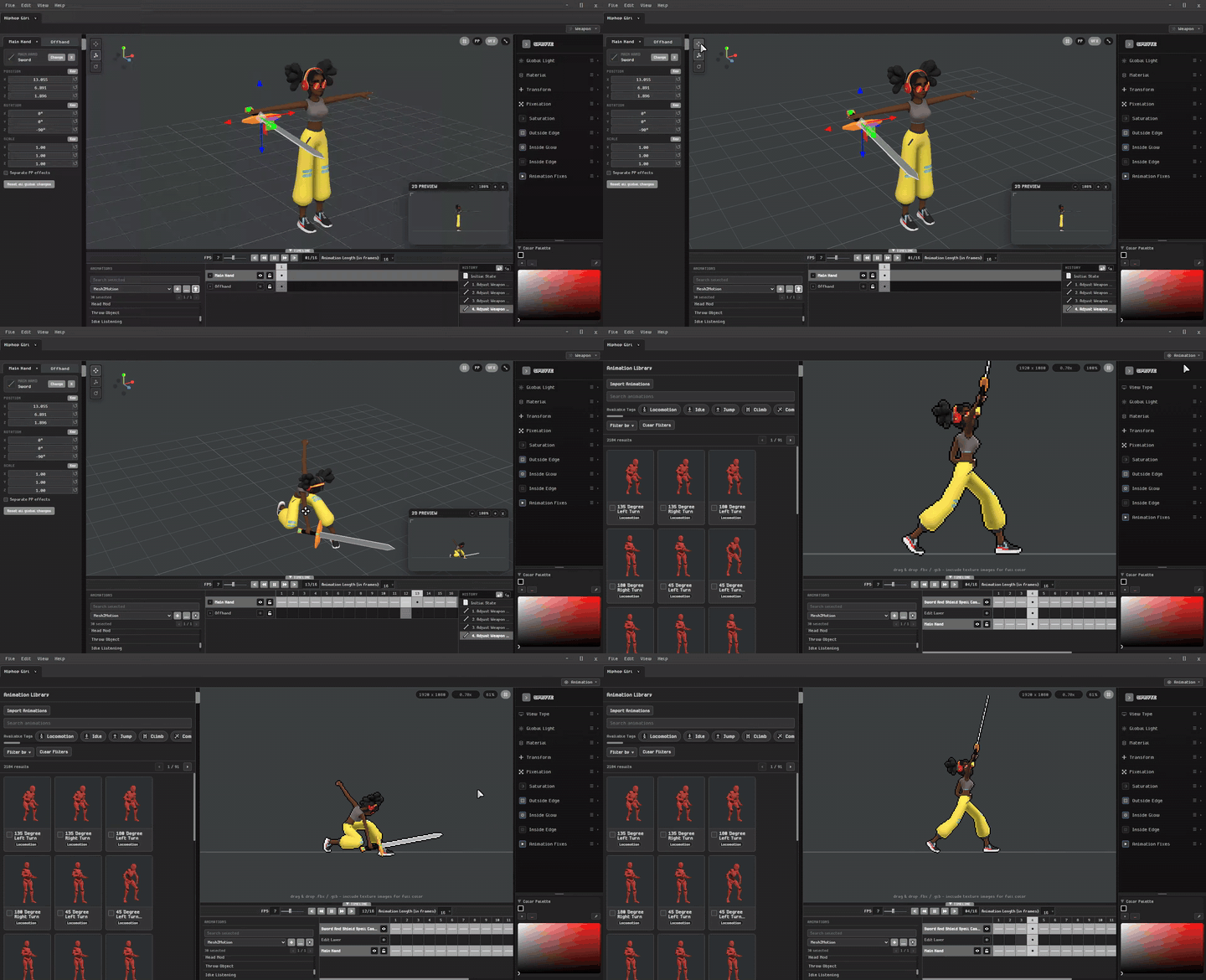
Layer the action
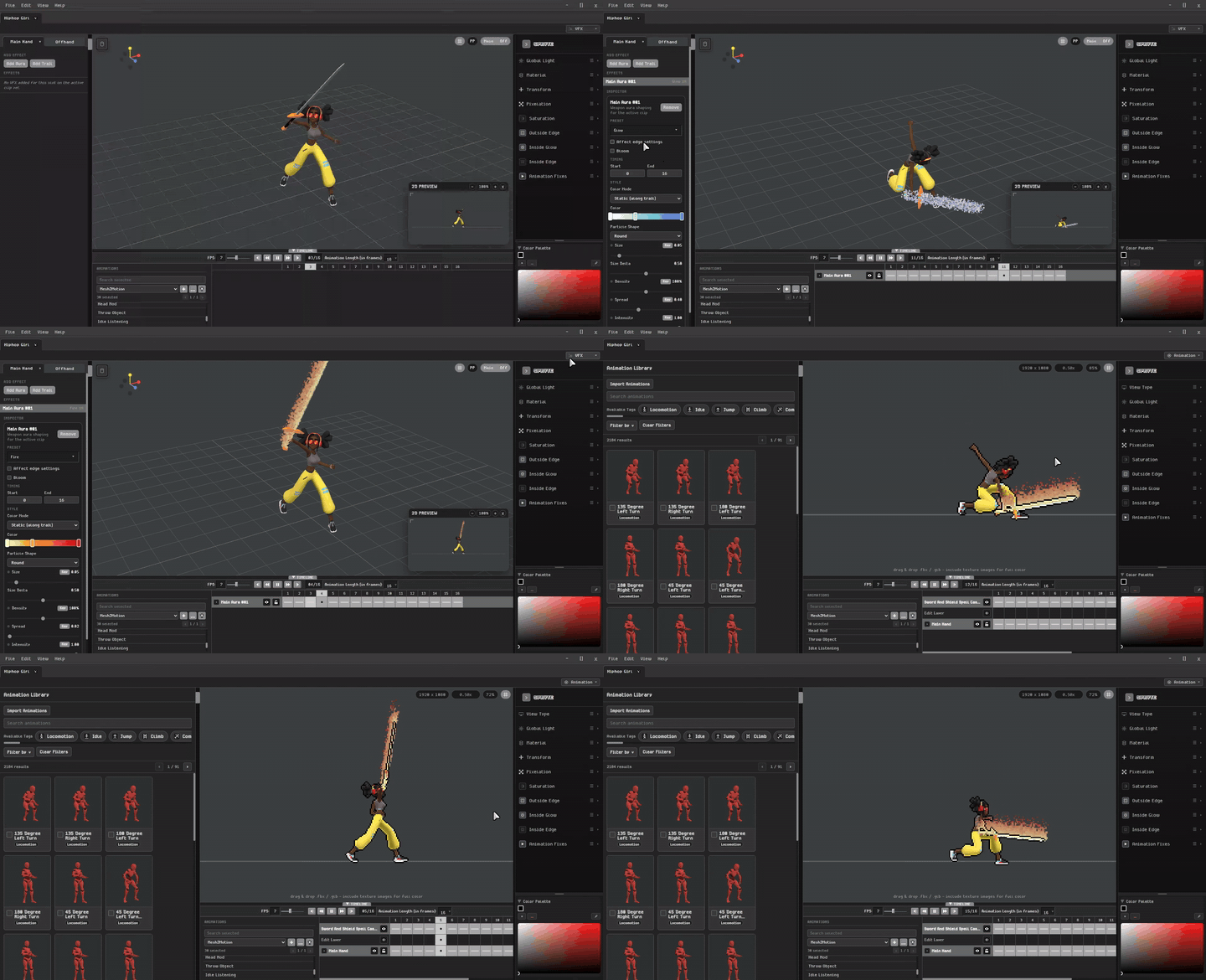
Add a main-hand or off-hand weapon, align it directly in the scene, and keep it attached through the animation.
Build the impact
Place, time, and preview VFX alongside the character so your exported frames arrive composed—not as disconnected parts.
Built-in editing tools
Shape 3D models, paint textures, edit animation, build effects, and refine the final pixels—all inside one focused workflow.
Edit models and materials, paint textures, and shape the complete 3D look without leaving Spryte.
Open rendered animations as pixel art and refine every frame by hand.
Add weapons and effects, then key their timing, placement, and appearance with detailed control throughout the animation.
Documentation
Learn about supported model formats, where to find characters, and rig compatibility. Setup and model-loading instructions are being added to the documentation.
Read the docsReady when you are